
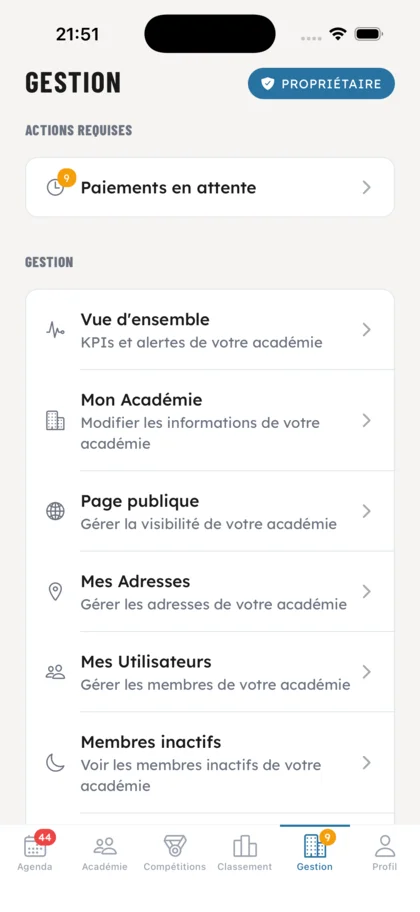
Overview & required actions
A clear entry point to everything happening in your academy: KPIs, alerts, pending payments. My Academy, public page, locations and users, all reachable in one tap.
From class scheduling to your shop, from payments to competitions: everything you need to run your club, in a single application.
A complete overview of the OSS Academy ecosystem. Click a feature to explore it in detail.
Dive into each one, screen by screen.
A clear entry point to everything happening in your academy: KPIs, alerts, pending payments. My Academy, public page, locations and users, all reachable in one tap.
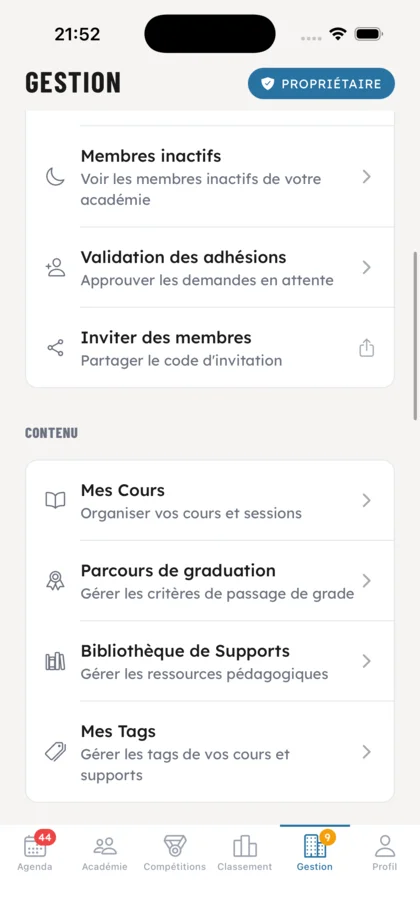
Manage inactive members, approve membership requests and invite new students. On the teaching side: organize your classes, graduation paths, materials library and tags.
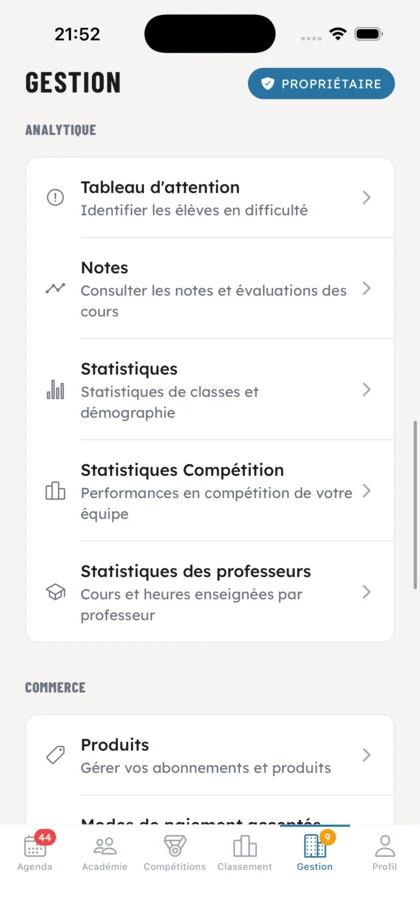
Attention dashboard to spot struggling students, ratings, class statistics, competition performance and hours taught by each professor. Everything you need to steer your business.

Your products, accepted payment methods, history, pending payments, member subscriptions and a complete financial dashboard for your academy.

Manage your OSS Academy platform subscription, payment cards, as well as the products on sale and orders from your shop.
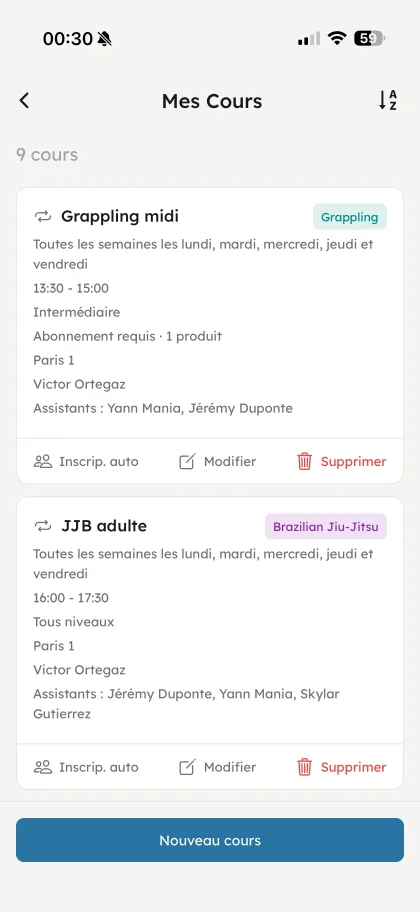
All your recurring classes in a single clear view. Toggle, edit or pause any of them in one tap to handle holidays, one-off exceptions and schedule changes.
Set up a recurring class (day, time, duration, level, professor, room) in just a few seconds. It instantly shows up in every member's schedule.
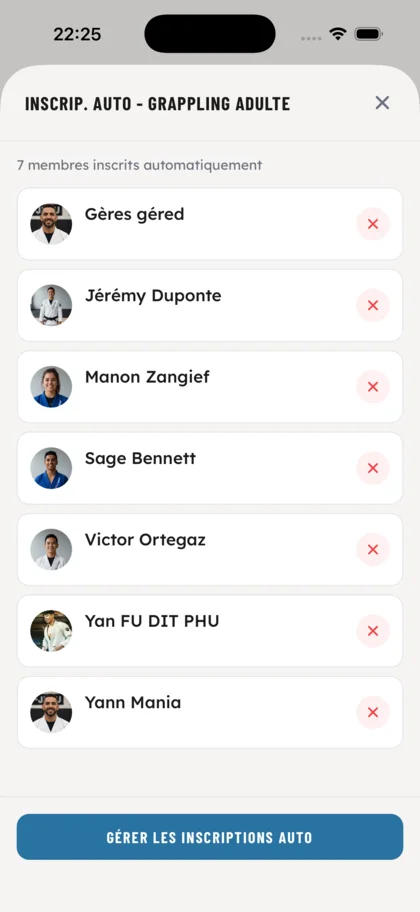
Pick the members who should be auto-enrolled into a recurring class (competitors, kids, advanced group…). They show up at every session without having to register themselves.

Each session displays its professor, level, discipline, date, location, number of students, materials and videos. Everything you need on one screen.
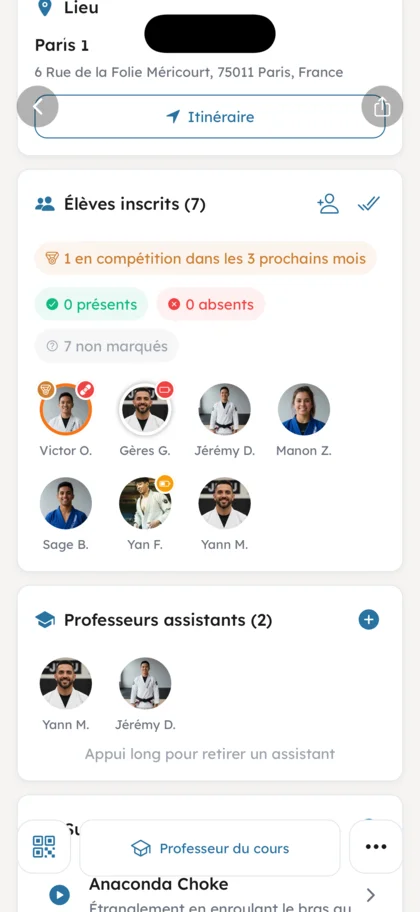
See at a glance who is registered, who's marked present or absent, and spot members with a competition in the next 3 months. Add assistant professors on the fly.
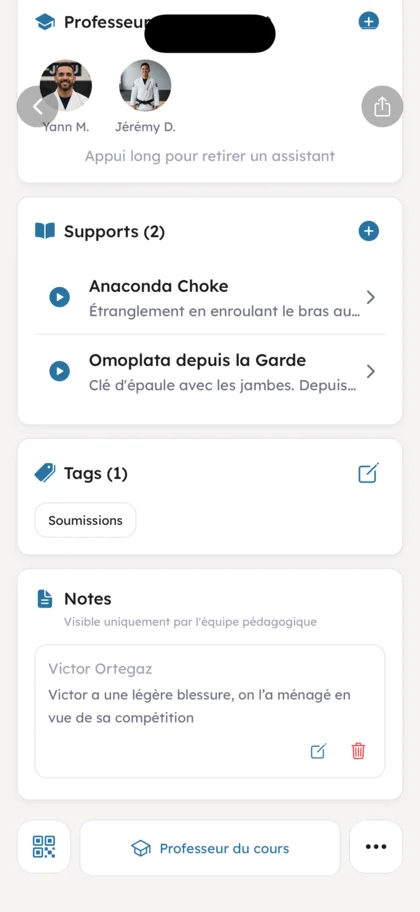
Attach technical materials, tags worked on and private teaching notes (visible only to your staff) to each class. Everything stays linked to the session for later review.
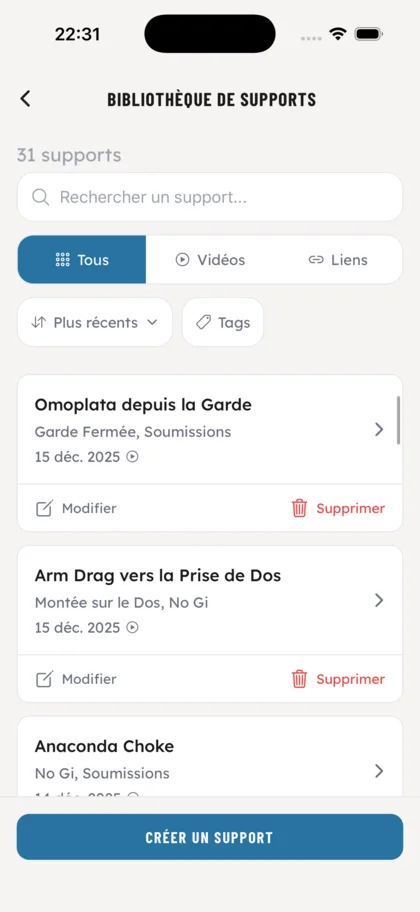
Centralize all your materials (videos, links, documents) in a searchable library. Filters by type and tags, search bar, sort by date to find a technique in seconds.
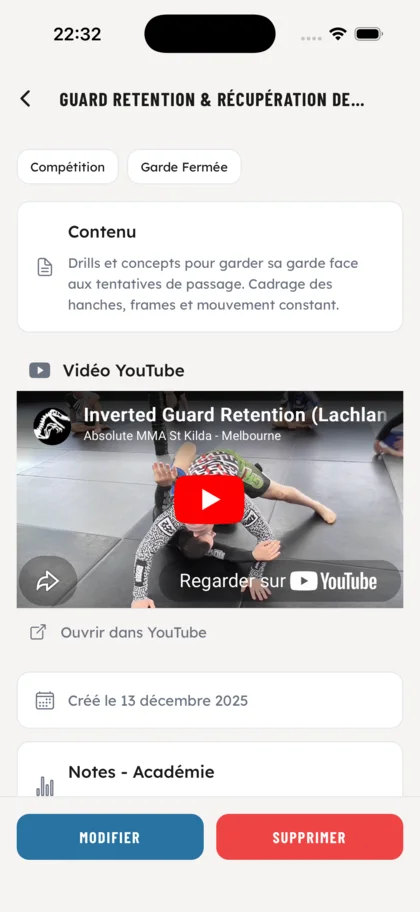
For each material: description, embedded YouTube video, tags, academy notes. Editable and accessible directly from the class it's attached to. Students can rate every material (difficulty, technique understood, sparring application…) so you can spot the ones who need extra focus on specific techniques.
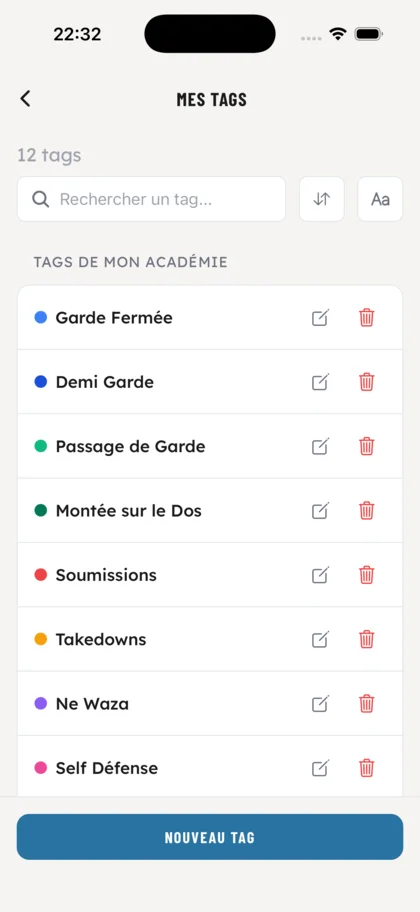
Create your academy's technical tags with their own color. They apply to your classes and materials to structure your teaching.
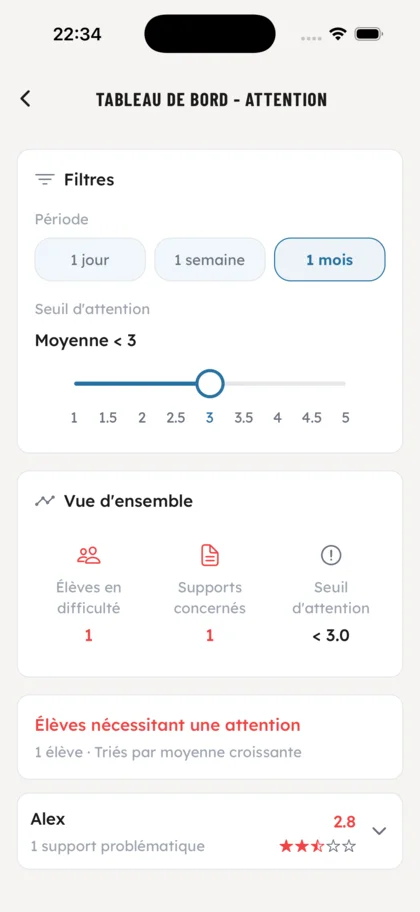
Filter the students who need extra attention by period (day, week, month) and average rating threshold on materials. Spot who's falling behind immediately.
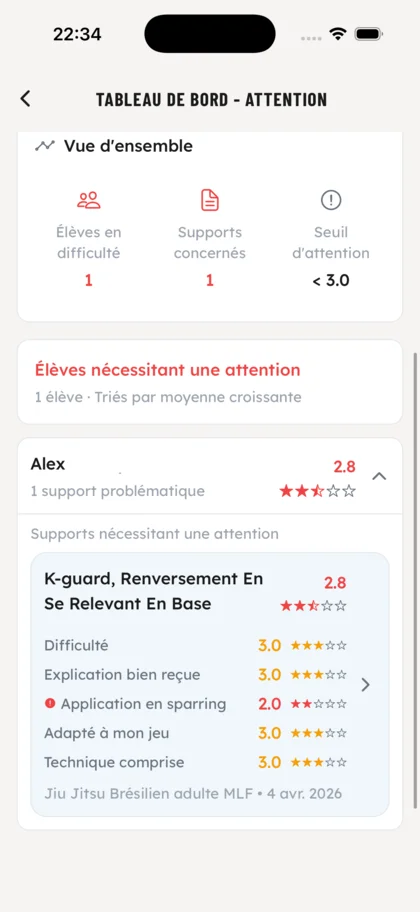
Precise list of struggling students with their average, the problematic materials and a breakdown of the ratings (difficulty, sparring application, technique understood…). Your coaches adapt their teaching accordingly.
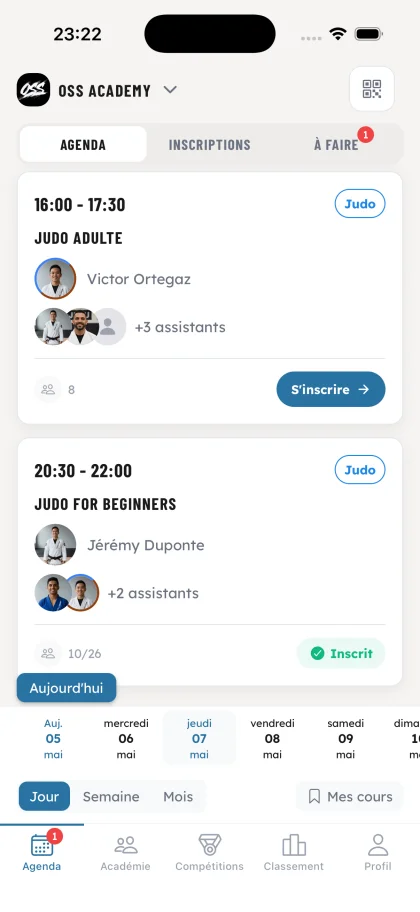
A clear list of the day's classes: time slot, discipline, lead professor, assistants, remaining seats. Your members sign up in one tap, you spot full classes at a glance.
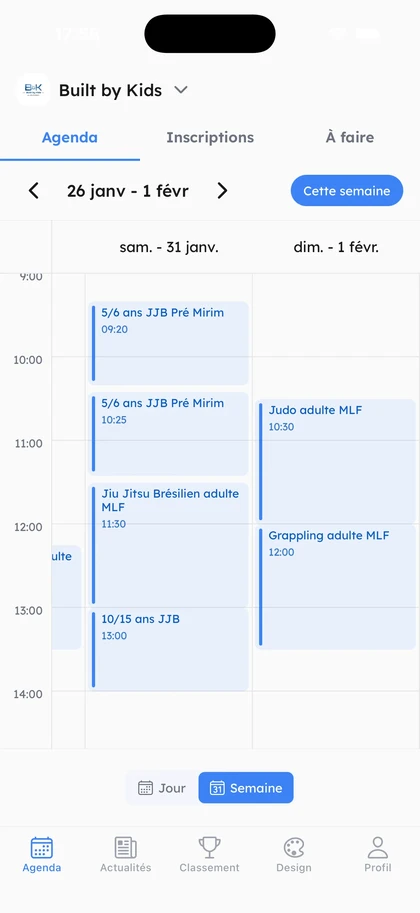
A 7-day time grid to visualize your weekly schedule. Ideal to spot open slots, balance the workload across professors and adjust your offering.
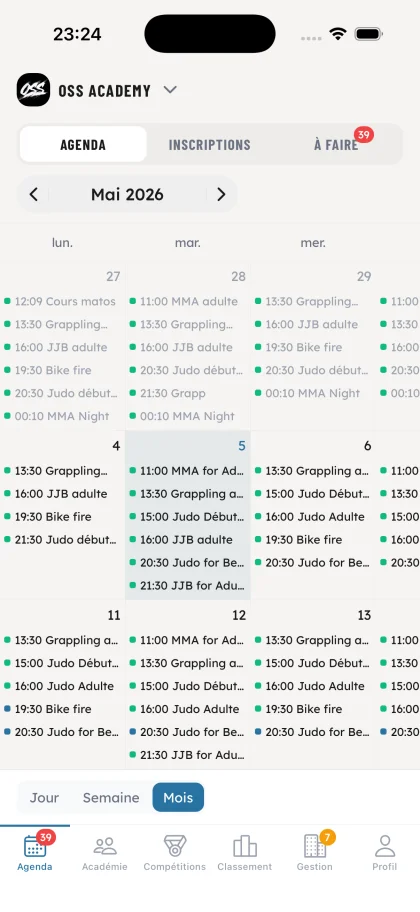
The whole month on a single screen with every class listed day by day, color-coded by discipline. Perfect to plan school holidays, public holidays and anticipate exceptions.
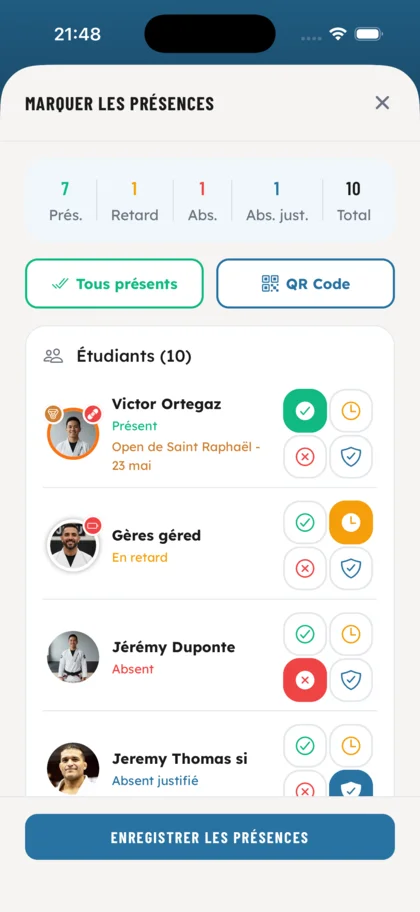
Mark attendance individually or in batch. Clear view of present, absent, late and excused students. Members with a competition in the next 3 months are highlighted so you never miss prepping them.
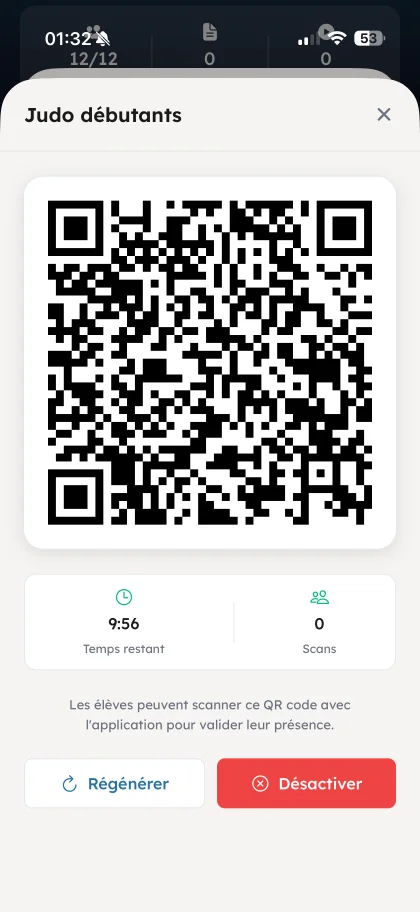
Students can also scan a QR code displayed at class start to check in instantly.
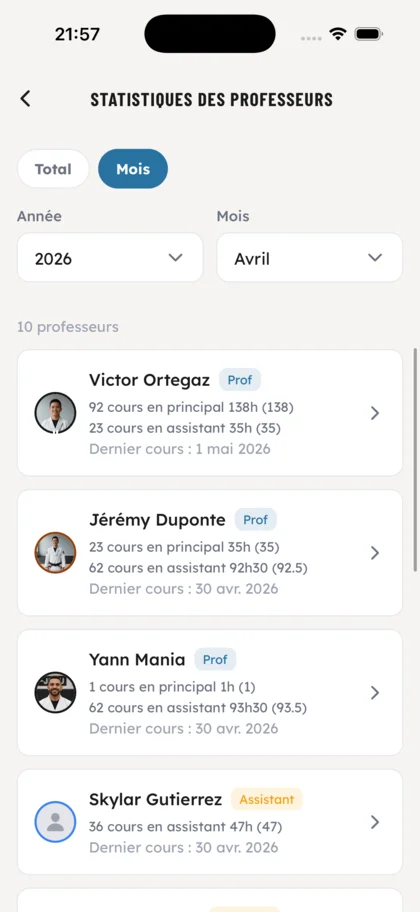
As an owner, see for every professor the number of classes and hours taught as lead and as assistant, plus the date of the last class. Filter by year or month, to prepare payroll for example.
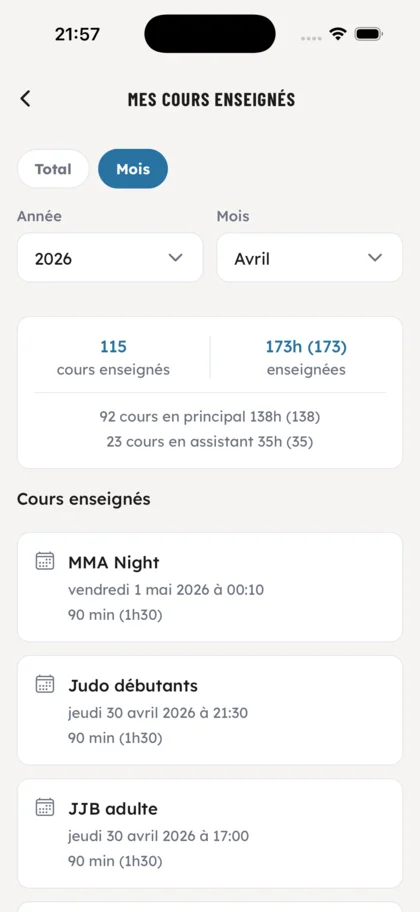
As an owner, drill into each professor's detailed sheet: total classes and hours taught, lead/assistant split, and the full history of every class delivered. The professor in question can also review their own sheet.
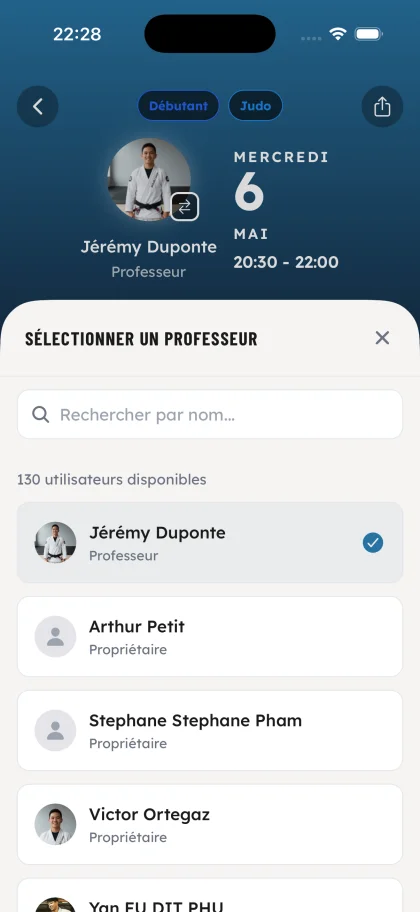
Assign the lead professor for a class in seconds. Apply the change to the full recurrence in one go, or update a single session to cover a last-minute substitution.
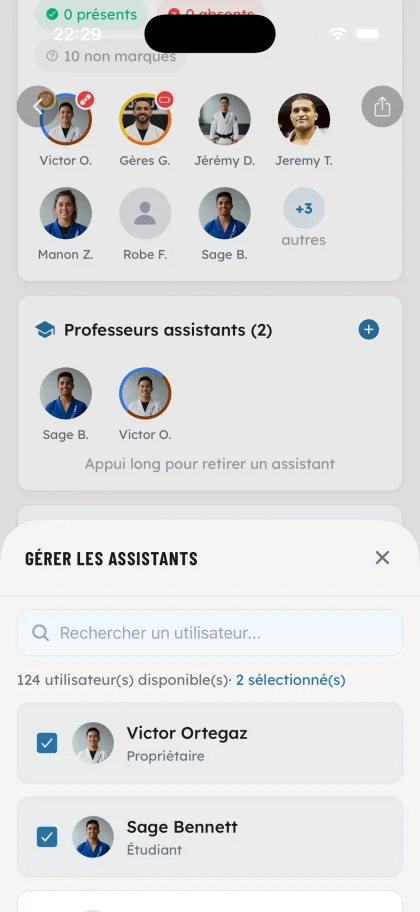
Add or remove multiple assistant professors per class. Like the lead, propagate the change to the entire recurrence or adjust session by session based on staff availability.
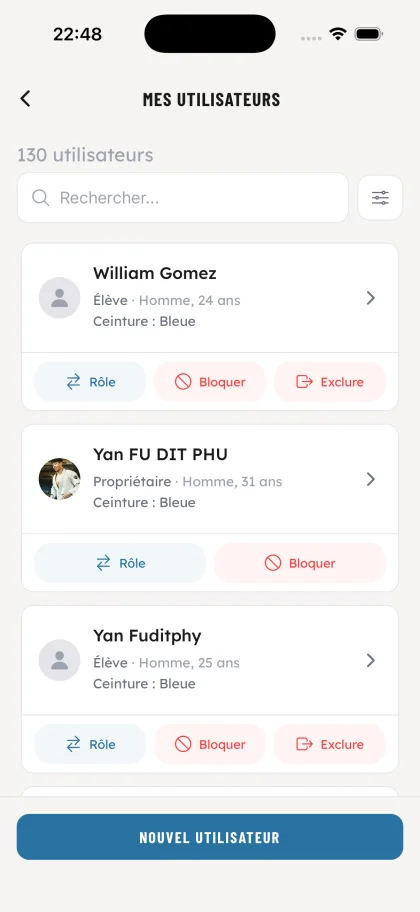
All your members in one place, with role, gender, age and belt at a glance. Change a role, block or remove a member straight from the list, no detours.
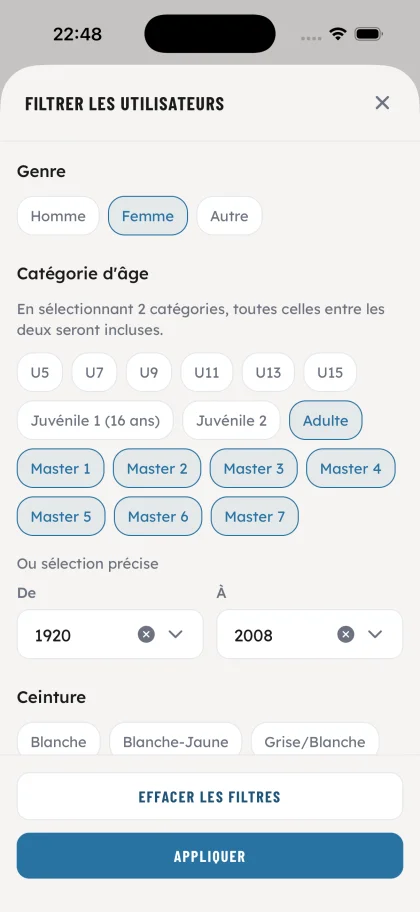
Refine your list by gender, age category (from U5 to Master 7), belt and birth year range. Essential to prepare a dedicated class, an event or a targeted message.
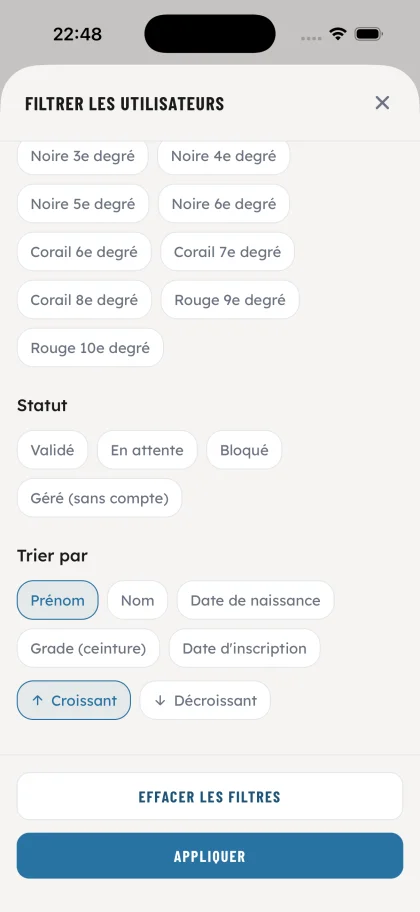
Filter by status (validated, pending, blocked, managed without account) and sort by first name, last name, birth date, belt or registration date. Pending requests surface in seconds.
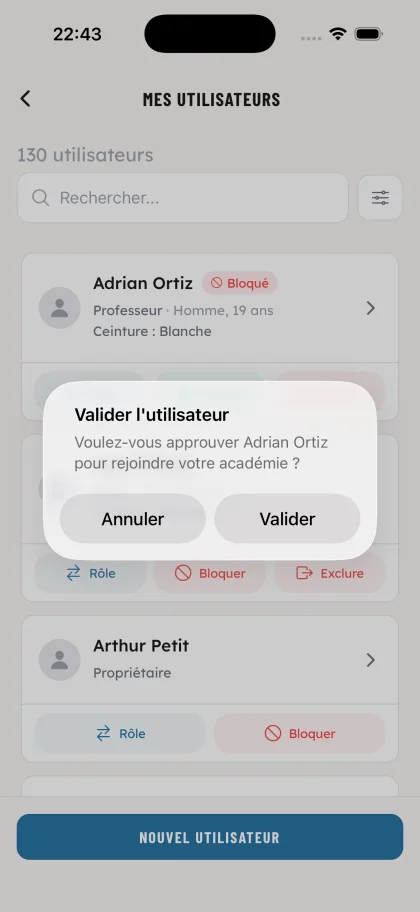
Approve new members requesting to join your academy in one tap. Status shifts from 'Pending' to 'Validated' and the student gains full access to every feature.
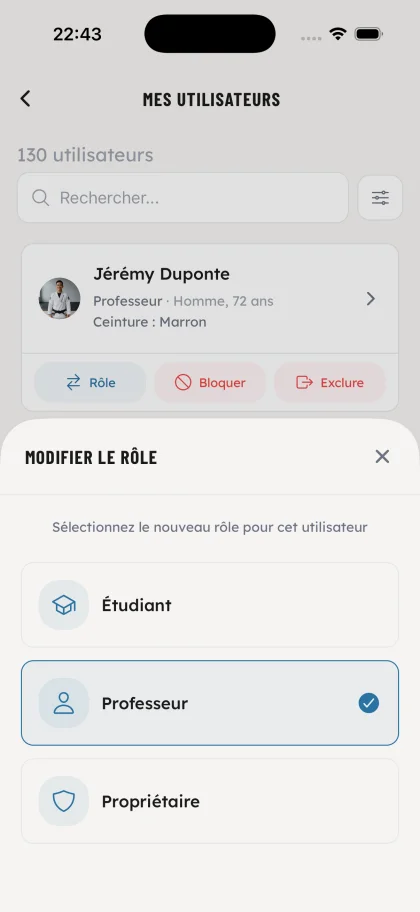
Set each user's role: student, professor or owner. Promote an assistant to professor or delegate management to a co-owner without paperwork.
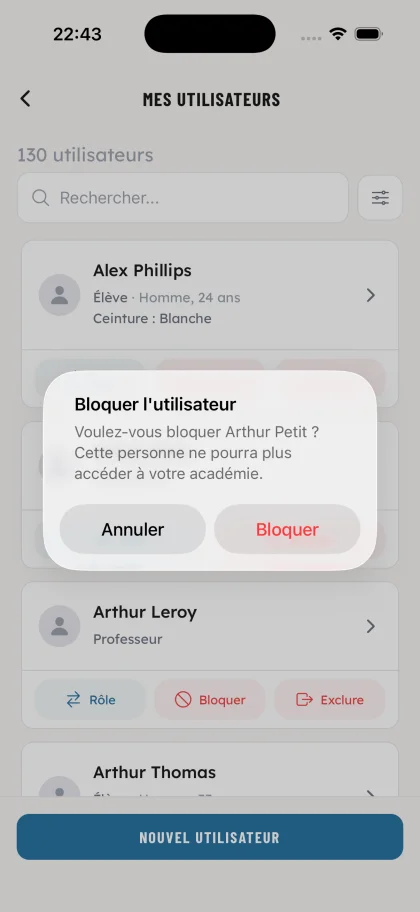
Block a user's access in one tap. They can no longer sign in to your academy, with no need to wipe their history.
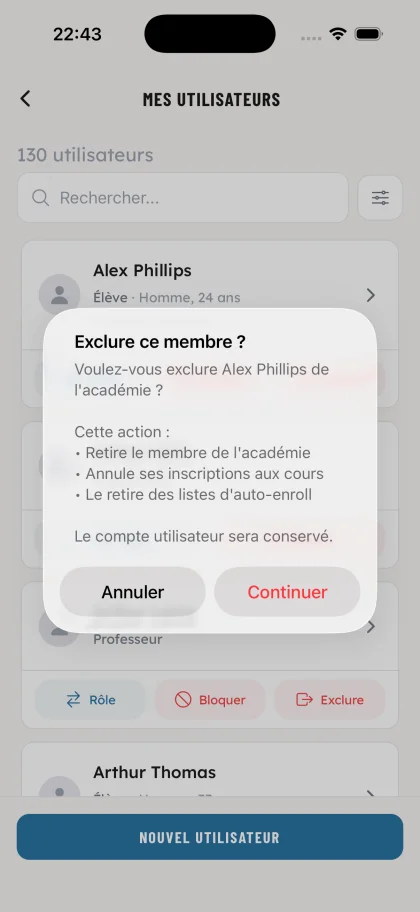
Remove a member from the academy: their class registrations are cancelled and they're pulled from auto-enroll lists. The user account is preserved to keep the history.
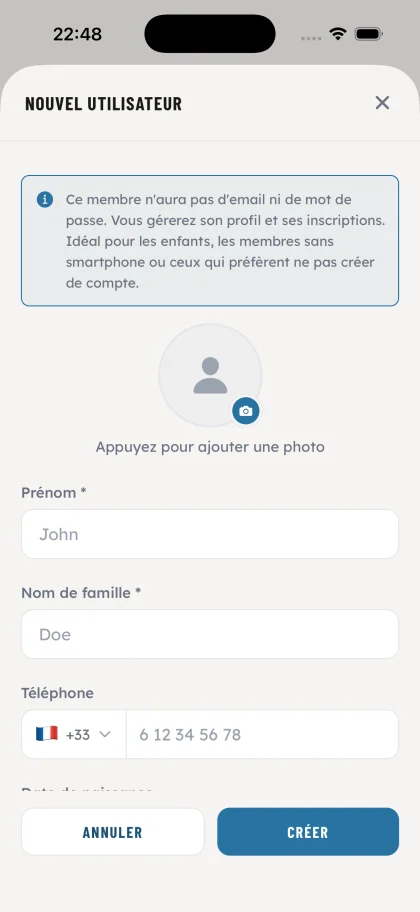
Sign up children, members without a smartphone or those who'd rather not create an account in seconds. No email, no password: you handle profile and registrations on their behalf, and in 2 clicks you auto-enroll them into all their classes.
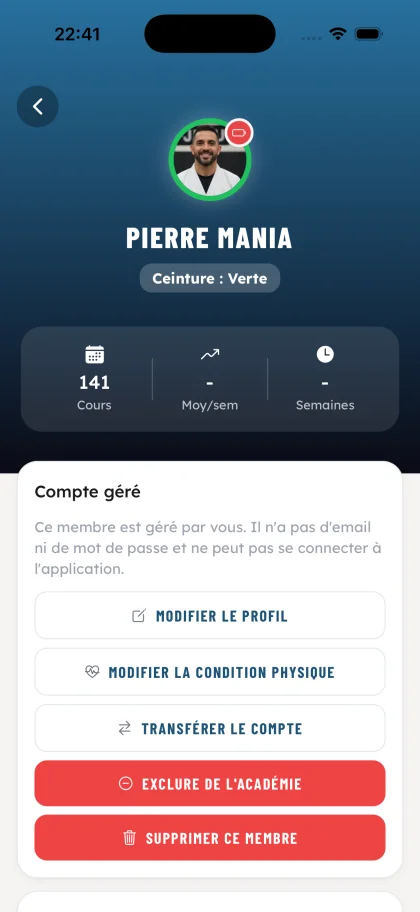
Ideal for children's accounts that you handle yourself: access all the member's info and trigger the key actions (edit profile, update physical condition, exclude or delete). When the student is ready, hand the account over to the parents or directly to the kid once they're old enough to manage their own profile.
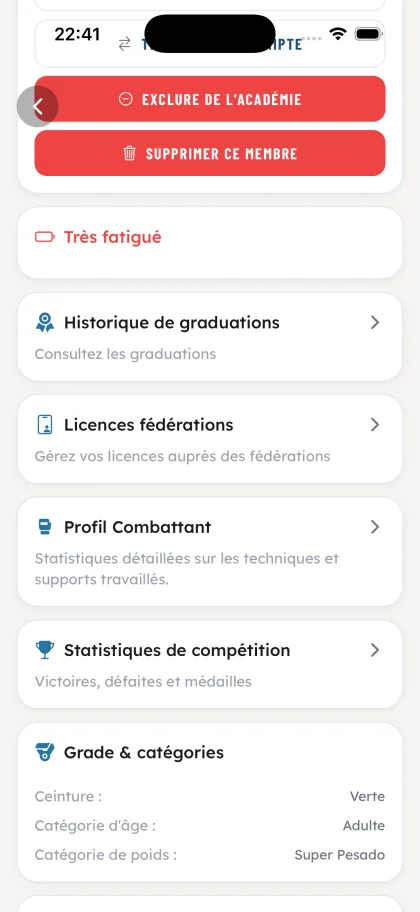
Physical state, grading history, federation licenses, fighter profile, competition stats, grade and categories: everything is centralized on the sheet, and all of it is editable by you. On managed accounts, you keep full control over the whole profile without having to ask anything from the member.
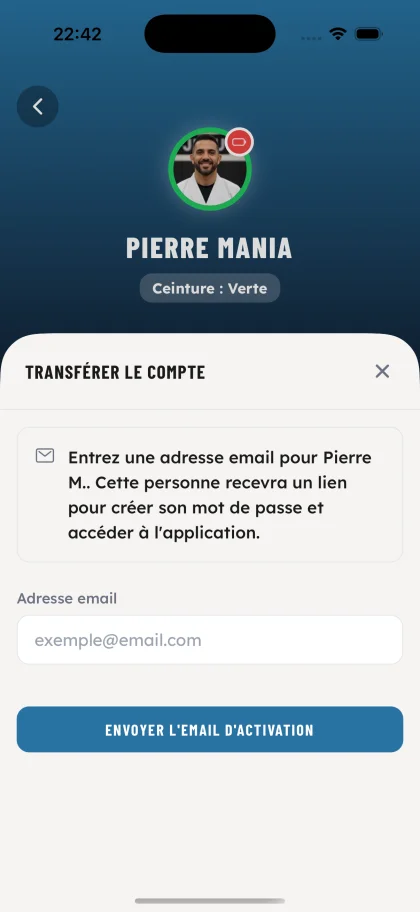
When your student is ready to use the app themselves, send them an activation email in one click. They create their password and take back control of their account.
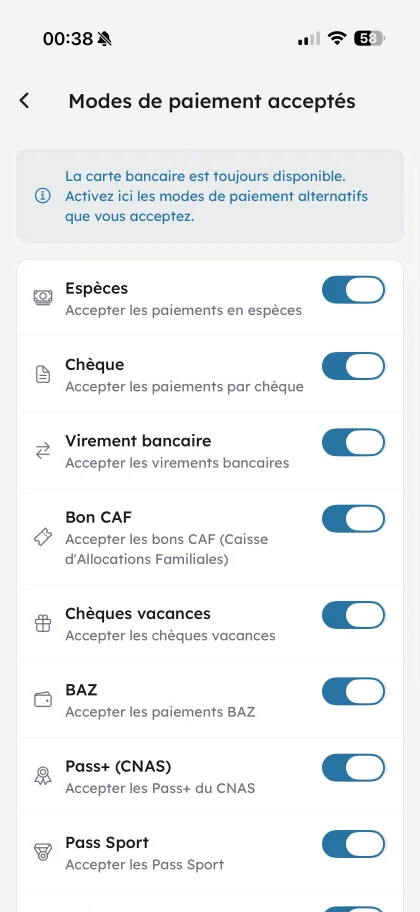
From your owner panel, toggle which methods your academy accepts (cash, check, sports vouchers, government aid…). Card payment is always available.
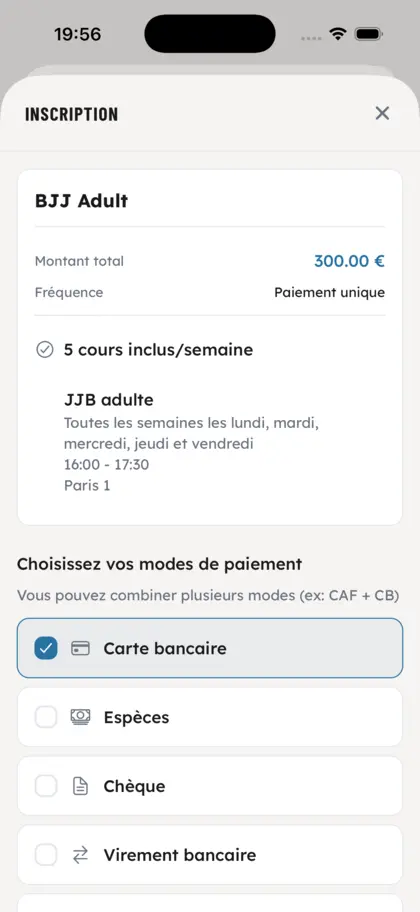
At registration, your members see the methods you've enabled and pick the one that suits them: card, cash, check, transfer, sports vouchers, government aid, holiday checks.
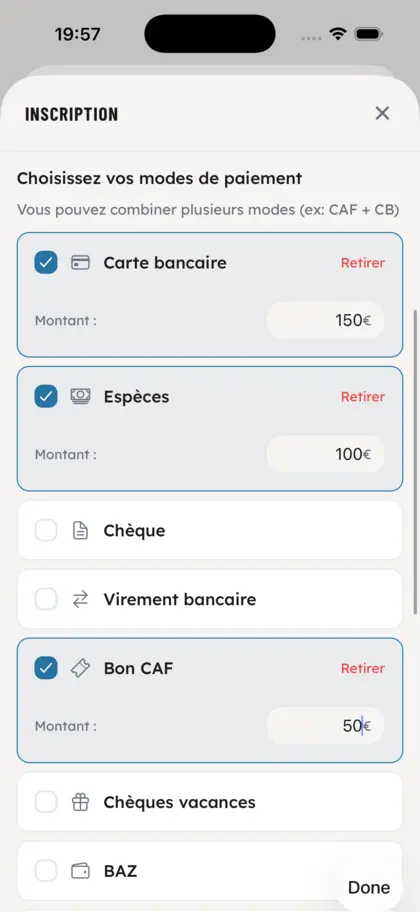
A single payment can mix card + cash + government voucher, perfect for annual subscriptions or multi-source funding. Members pay across sources without friction.
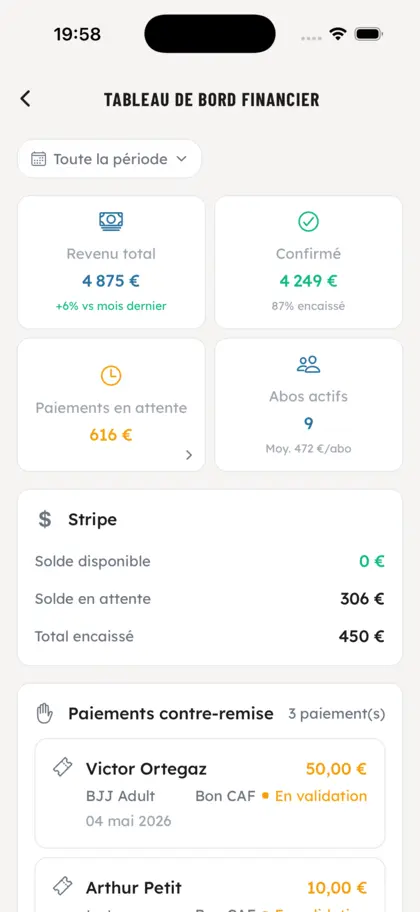
Track your revenue in real time: collections, active subscriptions, pending payments and Stripe balance. Clear cashflow visibility.
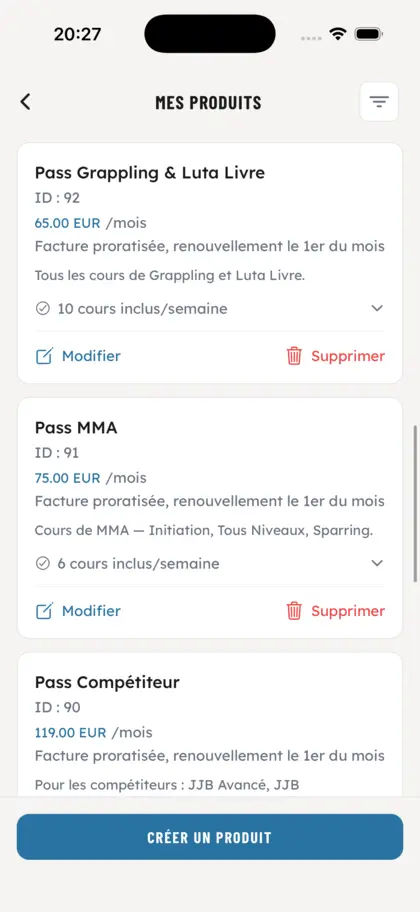
Create your passes (BJJ, MMA, competitor…) with prorated pricing, automatic renewal and included class count.
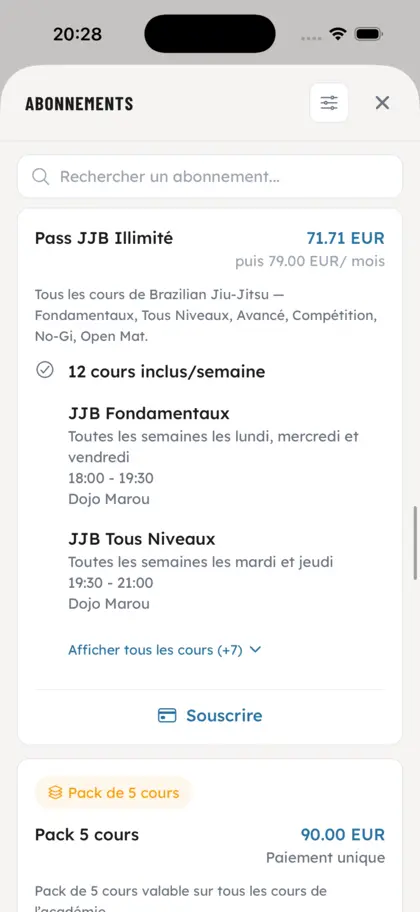
Pick the billing cadence that fits your academy: weekly, monthly, yearly subscription, or one-time payment. Renewal and tracking handled automatically.
Add your products with sizes, variants and stock in seconds. Your members browse the catalog and order directly from the app, and you export the orders for your supplier.
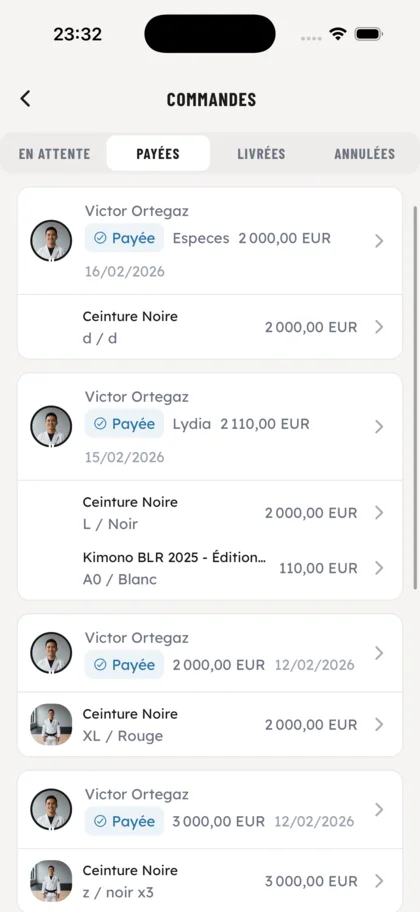
Drive every order through its full lifecycle: pending, paid, delivered, cancelled. Update statuses in one tap and export your orders in multiple formats, one tailored for your supplier, another for your internal inventory tracking.
When you mark attendance, the app highlights every student who has an order to collect. Hand out kimonos and gear without forgetting anyone, right at the start of class.
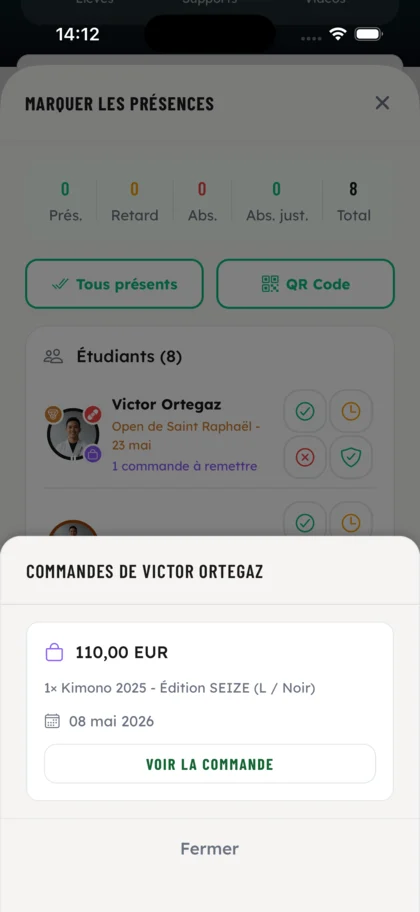
Tap a flagged student to instantly see what they ordered: product, size, variant, amount and date. Everything is available without leaving the class.
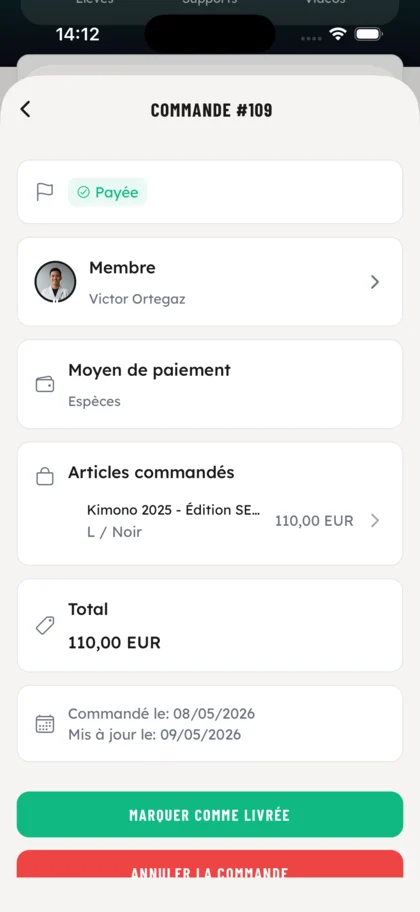
Open the order detail and change its status in one click: delivered once handed over. Tracking stays up to date for you and for the member.
Centralize all your materials (videos, links, documents) in a searchable library. Filters by type and tags, search bar, sort by date to find a technique in seconds.
For each material: description, embedded YouTube video, tags, academy notes. Editable and accessible directly from the class it's attached to. Students can rate every material (difficulty, technique understood, sparring application…) so you can spot the ones who need extra focus on specific techniques.
Create your academy's technical tags with their own color. They apply to your classes and materials to structure your teaching.
Filter the students who need extra attention by period (day, week, month) and average rating threshold on materials. Spot who's falling behind immediately.
Precise list of struggling students with their average, the problematic materials and a breakdown of the ratings (difficulty, sparring application, technique understood…). Your coaches adapt their teaching accordingly.

Post announcements, events and updates straight to your academy's feed. Your members get the info in real time, without relying on social media or WhatsApp groups.
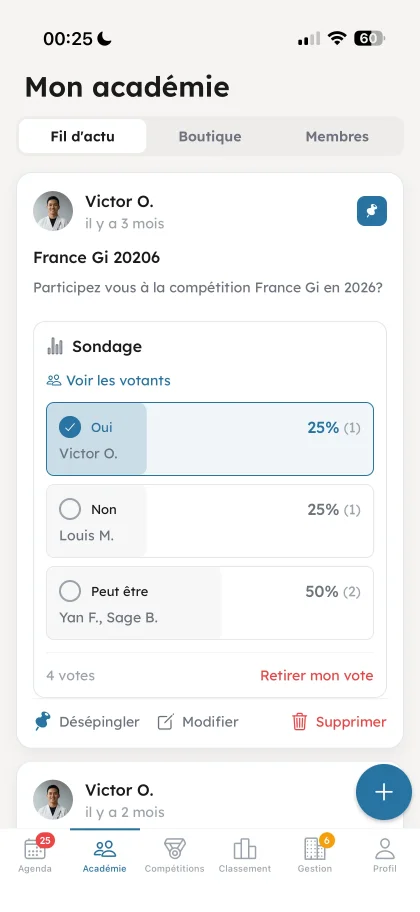
Launch a poll in seconds to gather your members' opinions: schedule choices, event planning, teaching preferences. Collective decisions made easy.
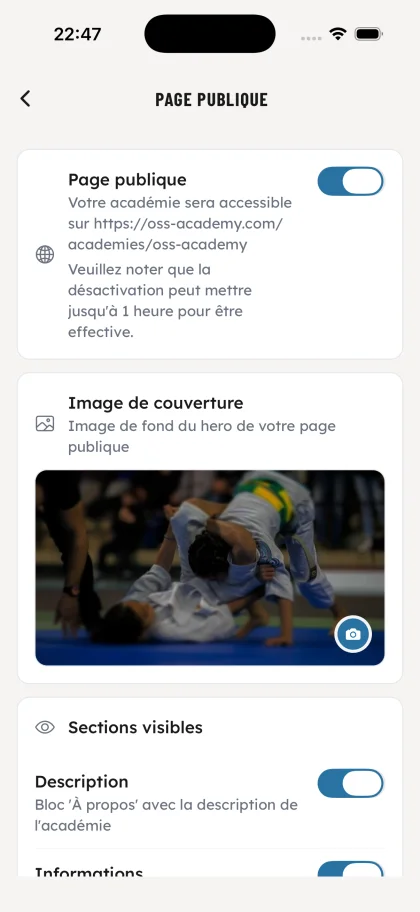
Activate a public page for your academy on oss-academy.com in one tap. It becomes your shareable online storefront, ideal for sign-ups and local visibility.
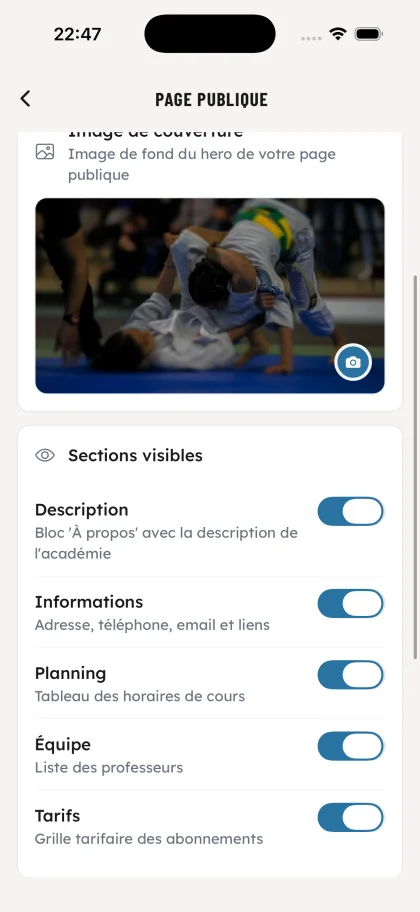
Pick what shows on your public page: academy description, contact info, class schedule, professor list, pricing grid. Full control, no code needed.
Preferred techniques, favorite submissions, areas to improve: this profile builds itself automatically from the ratings each member leaves on pedagogical supports and from what they fill in on their own fighter profile.
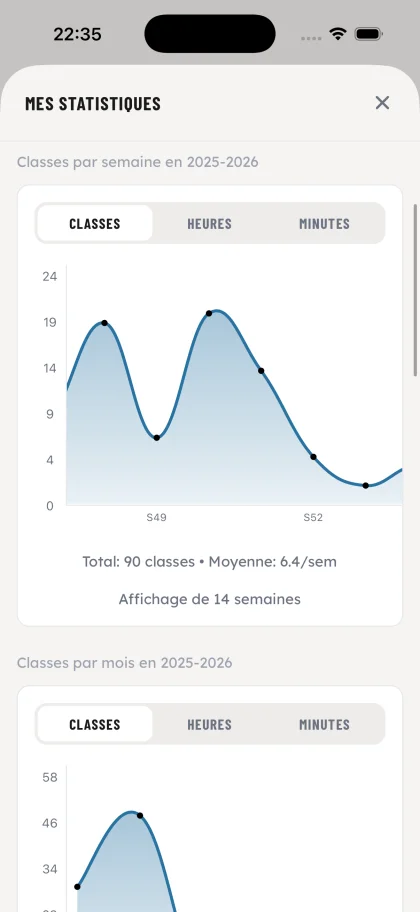
See classes, hours and minutes on the mat per week or per month for every member. Spot at a glance who's slipping or who's overtraining.
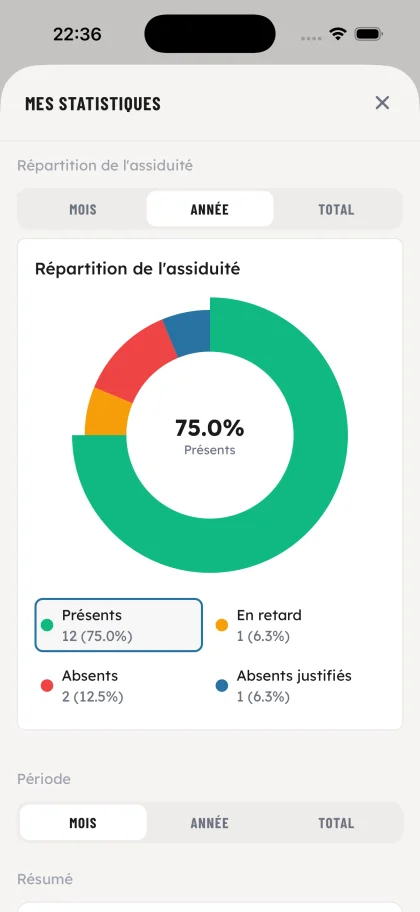
For every member, a visual diagnosis: present, absent, late and justified absences in a single donut. By month, year or all-time.
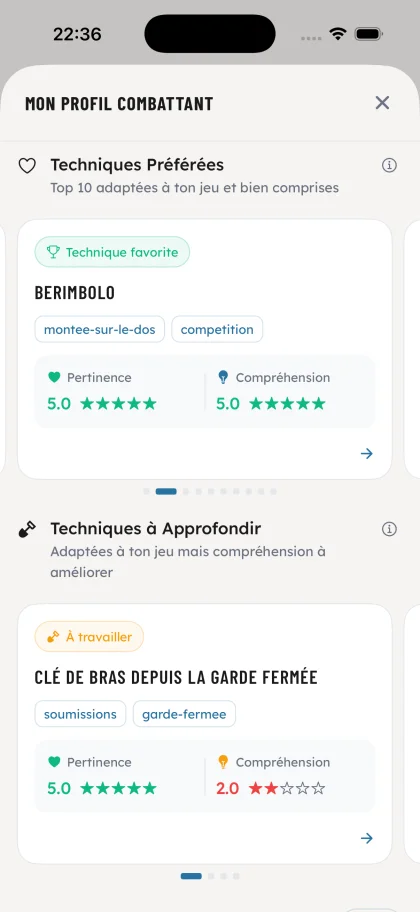
Preferred techniques and techniques to improve, rated for relevance and understanding by the coaches. Concrete material for your professors before each class.
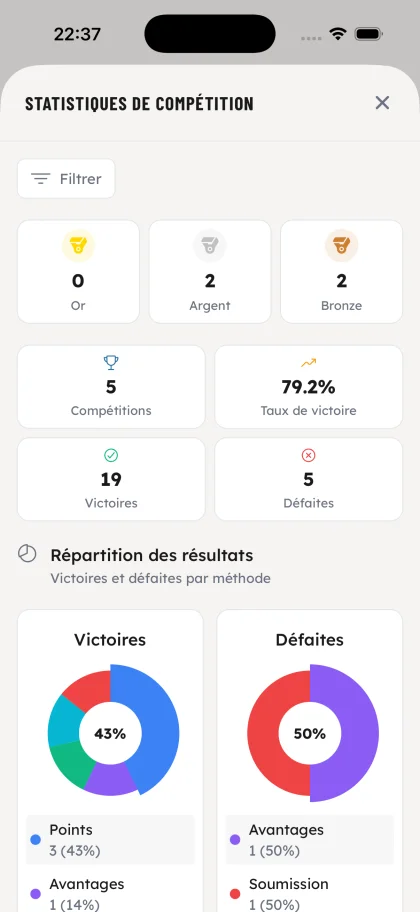
Gold, silver, bronze, win rate, victories and defeats by method (points, submission, advantages). Each competitor has their own sheet, you steer performance.

Every competition the member has entered, sorted chronologically with score, category, method and result. The full memory of every journey.
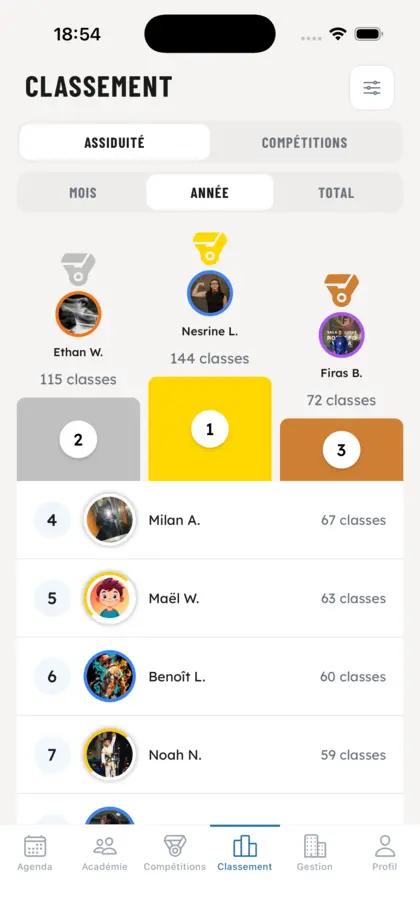
Dynamic podium based on number of classes attended. Filter by month, year or total.
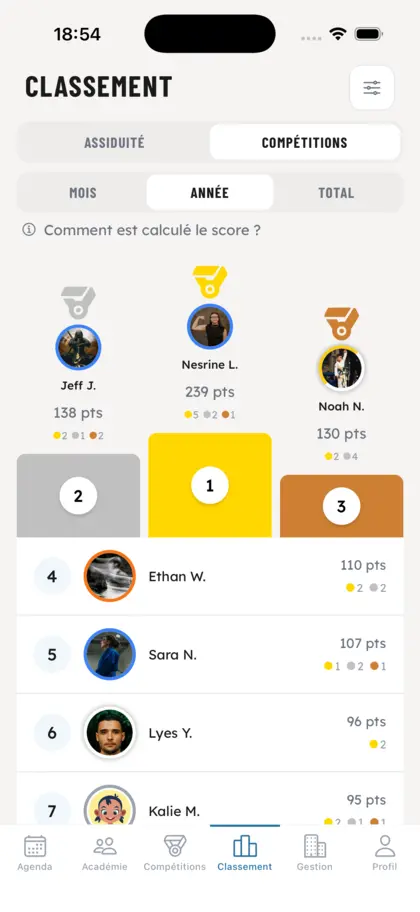
Score based on gold, silver and bronze medals won in competition. Weighted by category.
Each member visualizes their classes, hours and minutes on the mat by week or month. You instantly spot practitioners who are dropping off.
Each practitioner sees which techniques they train most: closed guard, submissions, no-gi, takedowns… and which to focus on. Your coaches adapt classes accordingly.
Each member measures their consistency: clear view of attendances, absences, late arrivals and justified absences.
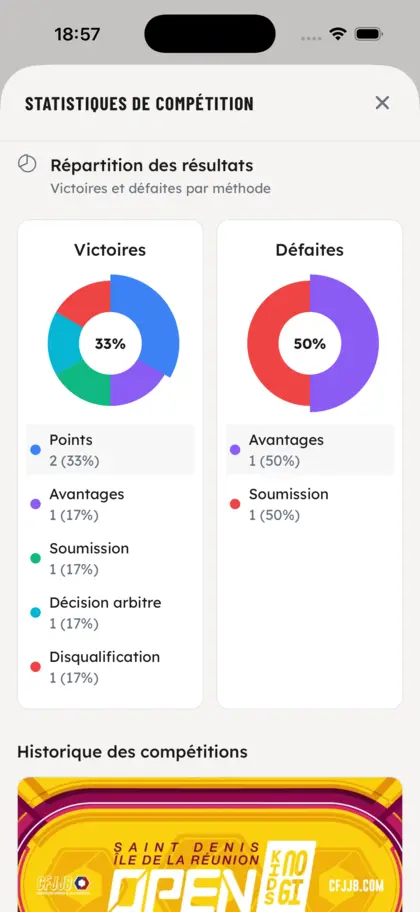
Each competitor analyzes their wins and losses by method (submission, points, advantages, referee decision). A goldmine for your coaches.
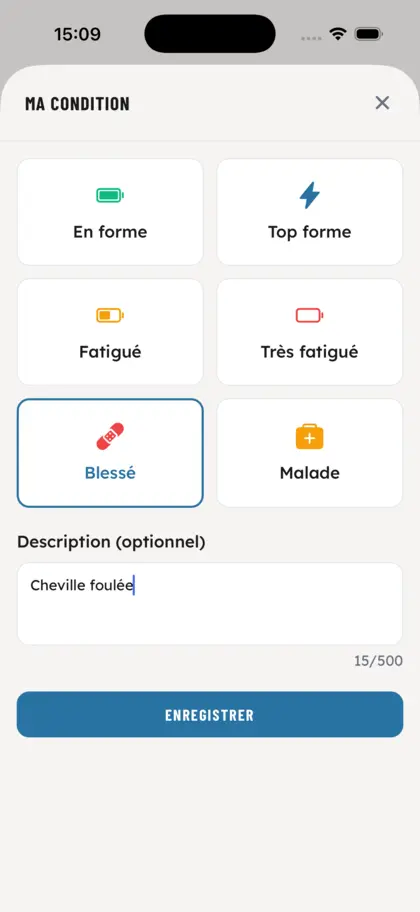
From their profile, each member taps to declare their current state: fit, top shape, tired, very tired, injured or sick. An optional description field (e.g. 'sprained ankle') gives your coaches the precise context.
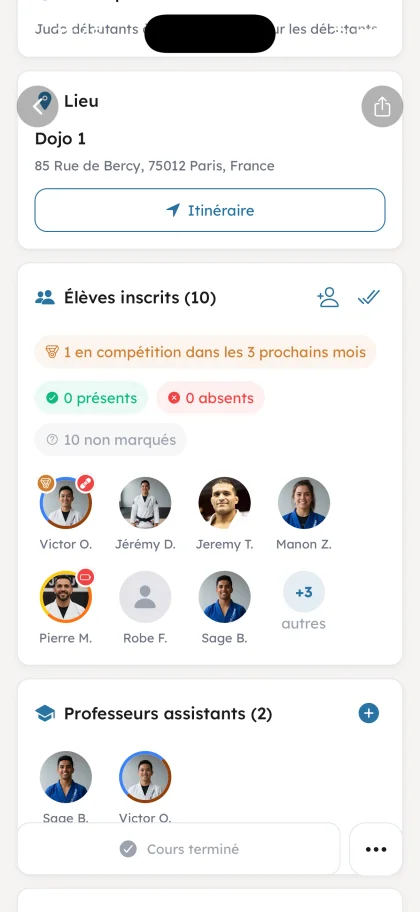
During class, every student's physical state shows at a glance on their photo: red badge for injured or very tired, green for fit. Your professors adapt intensity instantly.
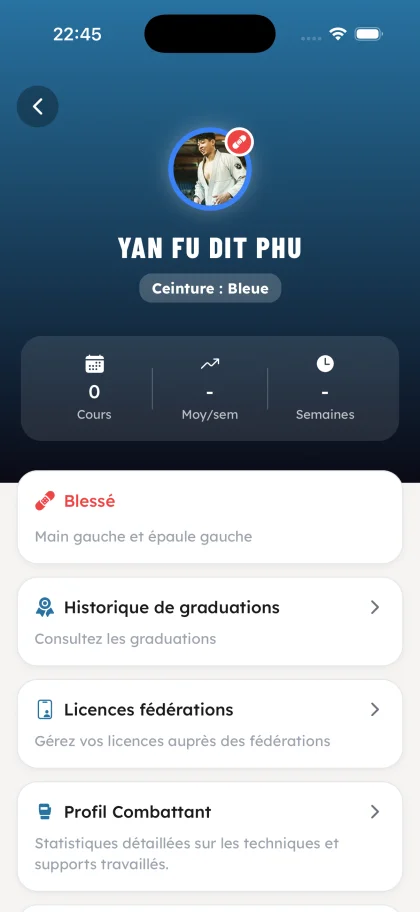
On every member's profile, the current physical state is shown at the top with the affected area (e.g. left hand and left shoulder). No injury falls through the cracks.

All upcoming and past federation competitions, centralized in one place. Your students register in a single tap.
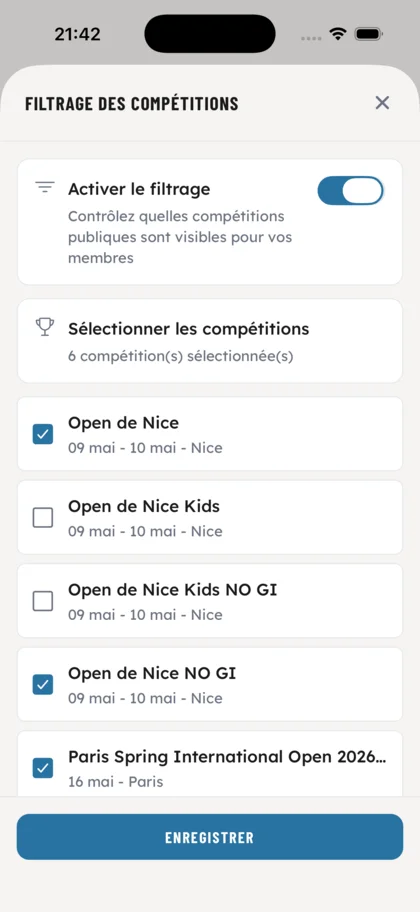
As an owner, decide exactly which public competitions are visible to your members. Toggle the filter on and check only the ones relevant to your academy.
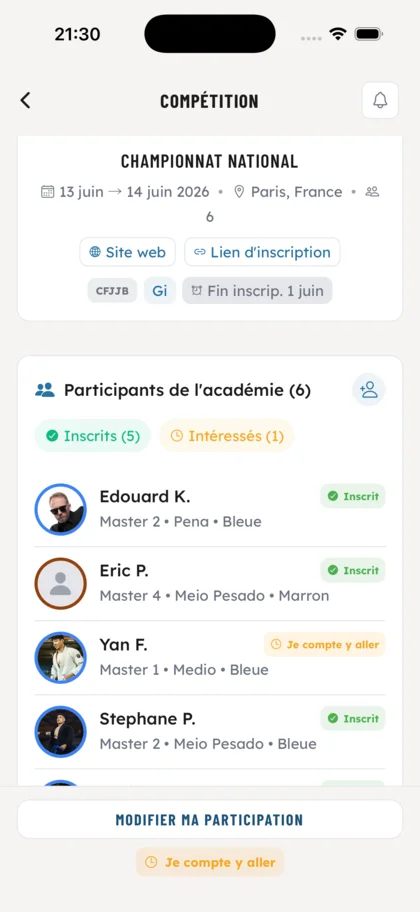
Dates, location, fees, registration link. See at a glance who is registered, interested or not signed up yet from your academy.
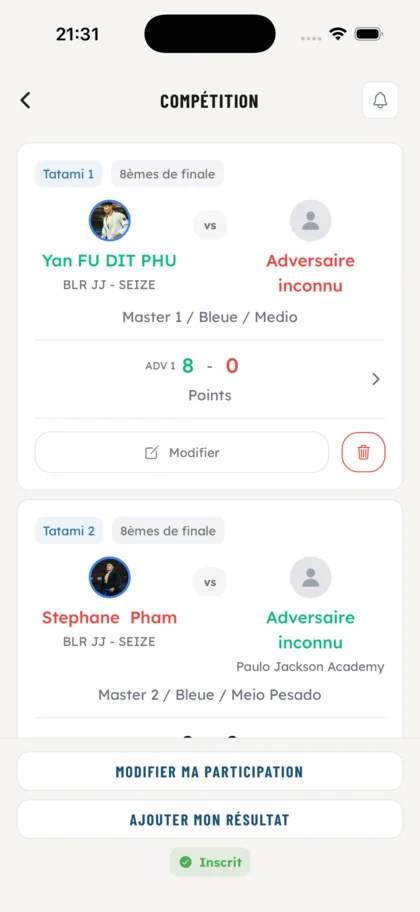
Track each fight by tatami and tournament phase: opponent, score, edit or remove a result on the fly.
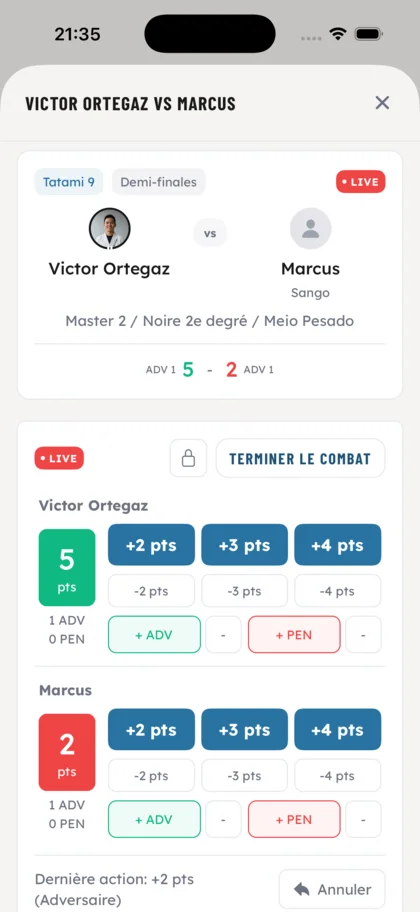
Enter points, advantages and penalties in real time during the fight. Quick undo on mistakes, last action always visible.
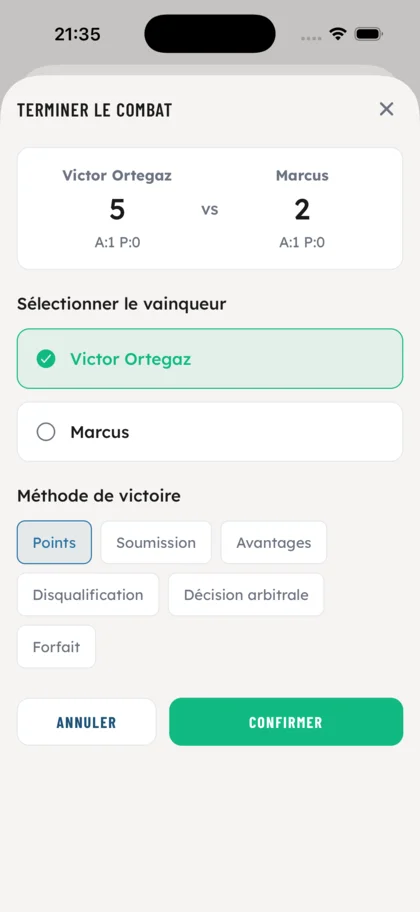
Pick the winner and victory method: points, submission, advantages, disqualification, referee decision or forfeit.
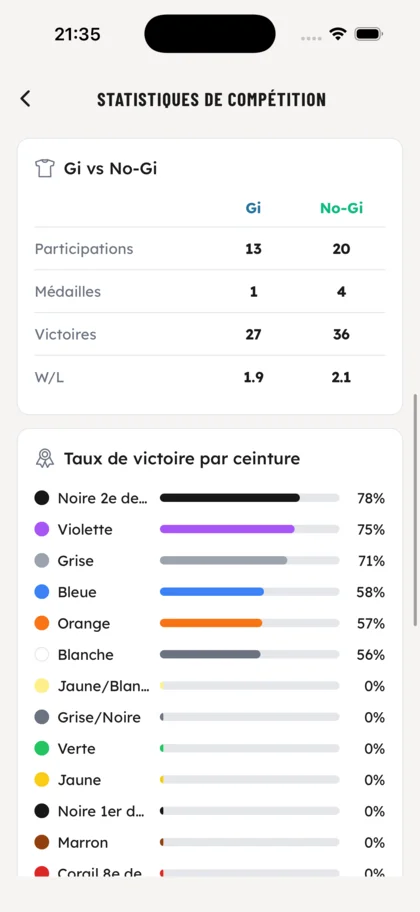
As an owner, access every competition stat from your members: participations, medals, wins, win rate and much more. All the indicators to drive your academy's performance.
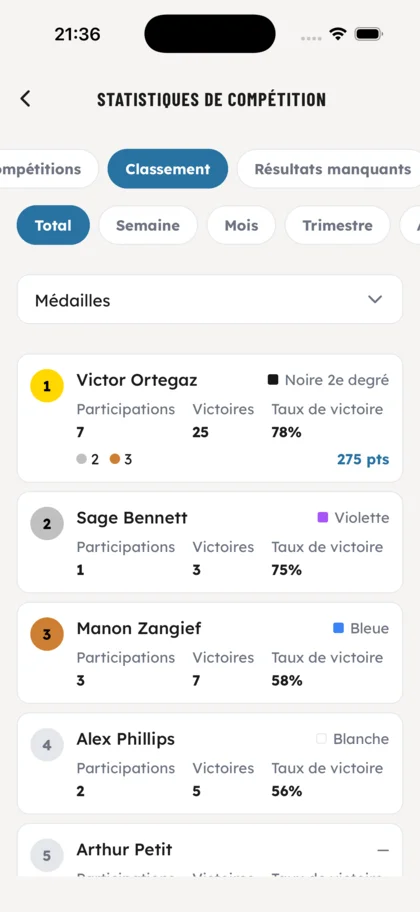
As an owner, track the individual performance of every competitor in your academy. Plenty of rankings and filters to spot your top performers and follow their progress.
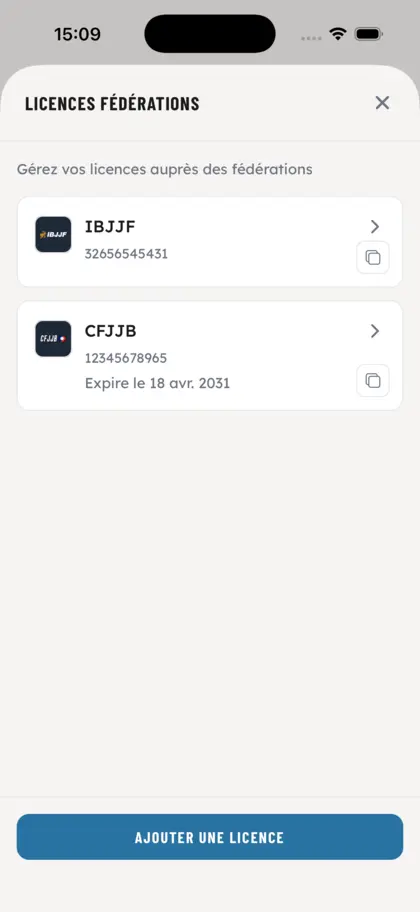
Centralize each member's IBJJF, CFJJB and other federation licenses. Number, expiration, quick copy: everything within reach.
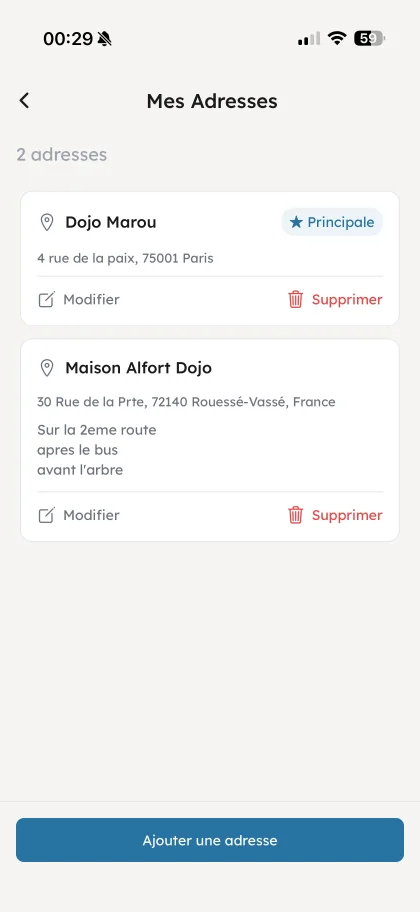
Manage multiple sites from one academy. Classes and schedules by location.
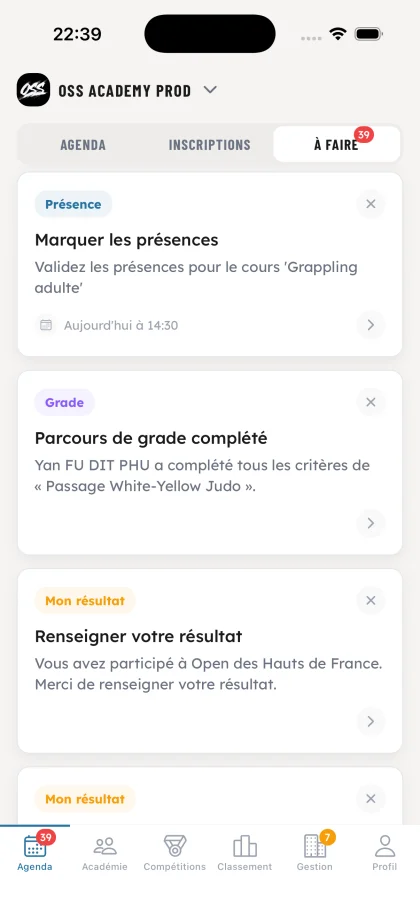
Every role gets its own pending tasks, grouped on a single screen with a counter visible from the agenda. For professors: confirm forgotten attendances, validate their members' competition results, alerts as soon as a member ticks every criterion needed to move up a grade. For students: rate the pedagogical supports after each class attended and report their results after a competition they signed up for. Every new task triggers a push notification so nothing slips through.
Create your account and configure your club in a few minutes.